A Practical Guide for Businesses in Lawrence, Topeka & Kansas City
If you’re a business owner in Lawrence, Topeka, or Kansas City, chances are you’re using social media to attract local clients — but not always seeing the results you want.
One of the most overlooked pieces?
Using the right graphic sizes and formats for how people actually engage.
This guide breaks it down simply so you can create content that looks polished, performs better, and helps your business stand out locally.
Instagram Graphic Sizes (Best for Local Engagement)
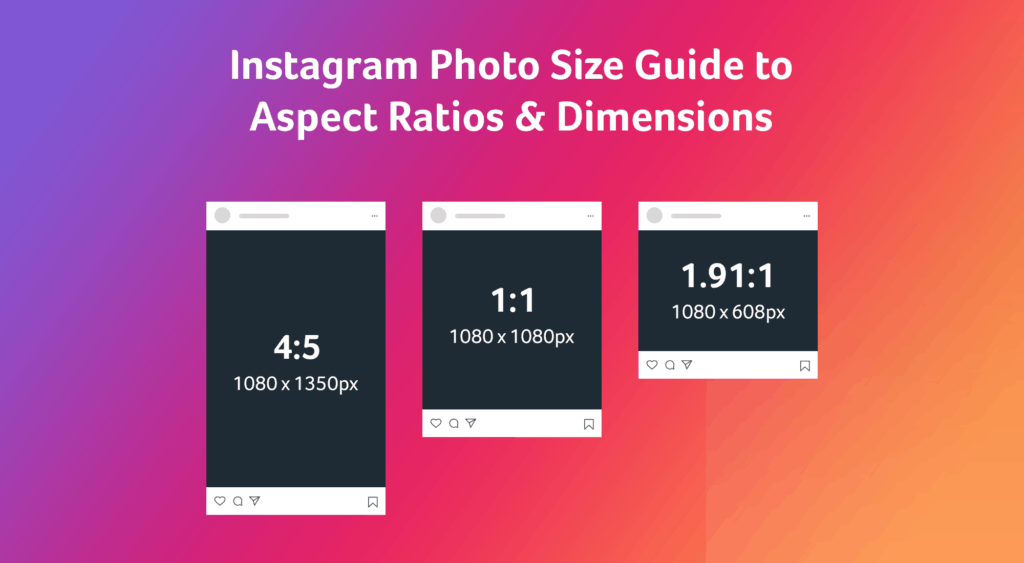
1. Feed Posts (Portrait — Recommended)
- Size: 1080 x 1350 px (4:5)
- Best for:
- Promoting services
- Sharing client work
- Local announcements
Why it works: This format takes up more screen space → more visibility + more engagement
If you’re posting about your business in Lawrence, Topeka, or KC — this should be your go-to.
2. Carousels (Your Secret Weapon)
- Size: 1080 x 1350 px
- Best for:
- “Before & after” projects
- Tips or education
- Walking people through your process
Why it works: The longer someone stays on your post, the more the algorithm pushes it — especially helpful for local reach
3. Instagram Stories
- Size: 1080 x 1920 px
- Best for:
- Daily updates
- Promotions
- Events
Great for:
- “Now booking in Lawrence”
- “Serving Topeka this week”
- “KC clients — spots open”
4. Square Posts (Use Sparingly)
- Size: 1080 x 1080 px
- Best for:
- Simple graphics
- Quotes
- Quick updates
Facebook Graphic Sizes (Still Important for Local Business)
1. Feed Posts
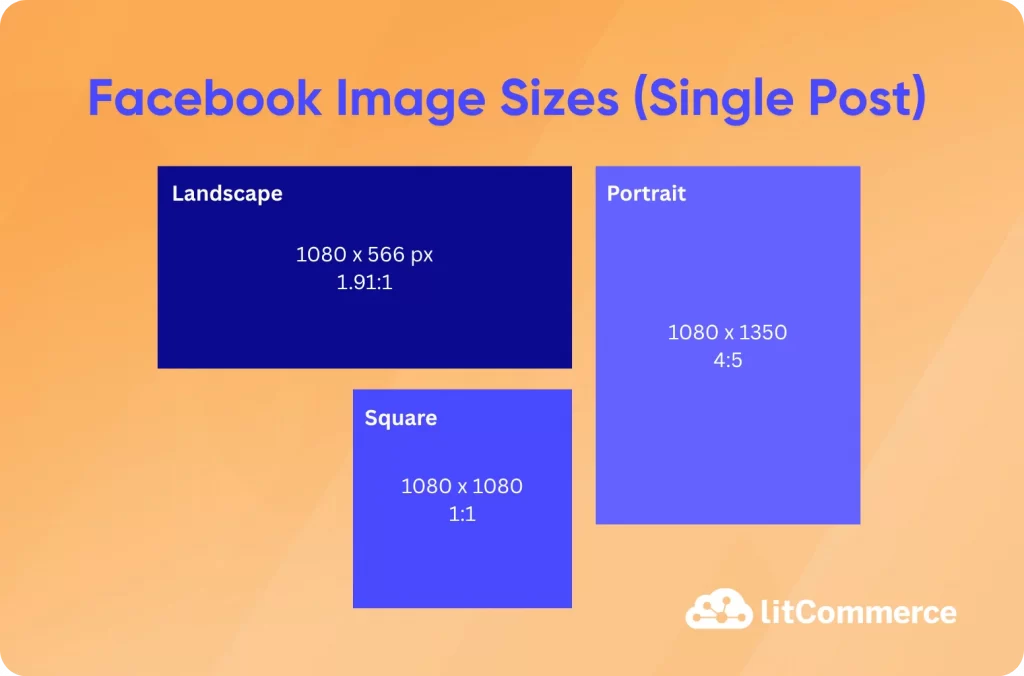
- Size: 1080 x 1080 or 1080 x 1350
- Best for:
- Repurposing Instagram content
- Local promotions
- Community engagement
Facebook is still strong for:
- Local groups
- Events
- Word-of-mouth sharing
2. Link Posts (CRITICAL for Traffic)
- Size: 1200 x 630 px
- Best for:
- Blog posts
- Landing pages
- Service pages
This is what shows when someone shares your site — and it directly impacts clicks.
If your business serves Lawrence, Topeka, or Kansas City, your preview image should:
- Look professional
- Match your brand
- Clearly communicate what you do
3. Event Covers
- Size: 1200 x 628 px
- Best for:
- Workshops
- Pop-ups
- Local events
👉 Think:
- “Kansas City Workshop”
- “Topeka Event”
- “Lawrence Launch Party”
How to Use This for Local Growth
This is where most businesses miss the mark 👇
1. Add Location Context to Your Graphics
Instead of:
❌ “Now Booking Clients”
Try:
✅ “Now Booking Clients in Lawrence & Kansas City”
2. Design for Scroll-Stopping Content
- Bold, clear messaging
- Minimal clutter
- Easy to read on mobile
3. Build a Consistent System
Instead of starting from scratch every time:
- Create 3–5 templates
- Rotate content types
- Keep branding consistent
4. Support Your Website SEO
Social content + your website should work together.
When someone:
- Sees your post
- Clicks your link
- Lands on your site
Everything should feel cohesive — this is how you turn views into actual leads.
Simple Content Plan for Local Businesses
If you want to keep it easy:
✔ Use portrait posts (1080 x 1350) as your default
✔ Post 2–3x per week
✔ Use carousels for value-driven content
✔ Share stories for real-time updates
✔ Always tie back to your website or offer
Final Thought
If you’re trying to grow your business in Lawrence, Topeka, or Kansas City, your social media doesn’t need to be complicated — it just needs to be intentional and consistent.
The right formats + the right message = more visibility, more trust, and more leads.
Want to learn more about optimizing your social media account and posts?
If you want help building a social media system that actually drives local business → that’s exactly what we do at JBerra Consulting & Design.
Leave a Reply