
When working with a web designer or developer, you’ll likely be asked to provide access to your domain, hosting, or website platform.
👉 The goal is simple: give access securely without handing over full control of your account.
This guide walks you through how to do that across the most common platforms.
Why This Matters
Providing the right access allows your web provider to:
- Connect your domain properly
- Fix website and security issues
- Set up SSL (secure your website)
- Launch your site without delays
🔒 You always remain the owner of your account.
GoDaddy (Recommended: Delegated Access)
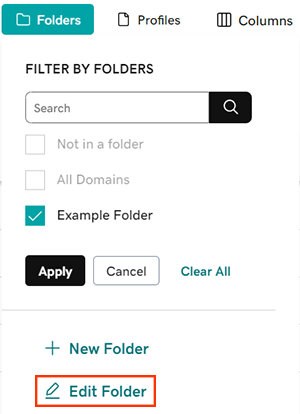

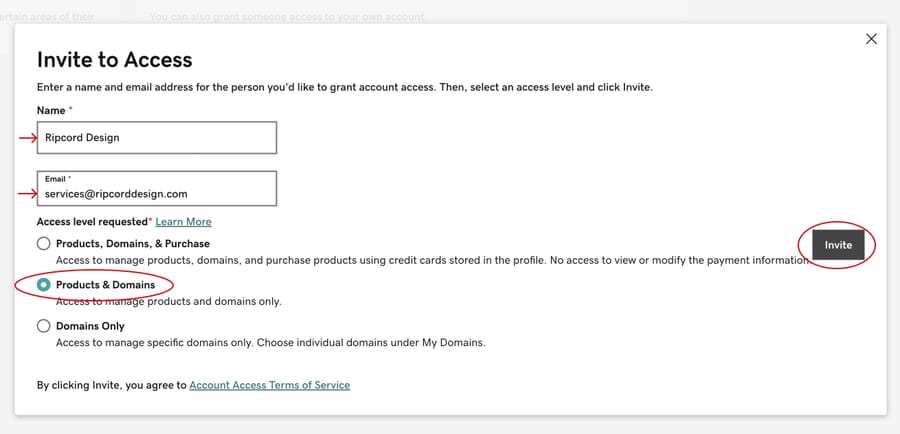
Steps:
- Log in to GoDaddy
- Click your profile → My Products
- Scroll to Delegate Access
- Click Grant Access
- Enter your designer’s name + email
- Select Products & Domains
- Send invite
This is the best and most secure option
Hostinger (Team Access)


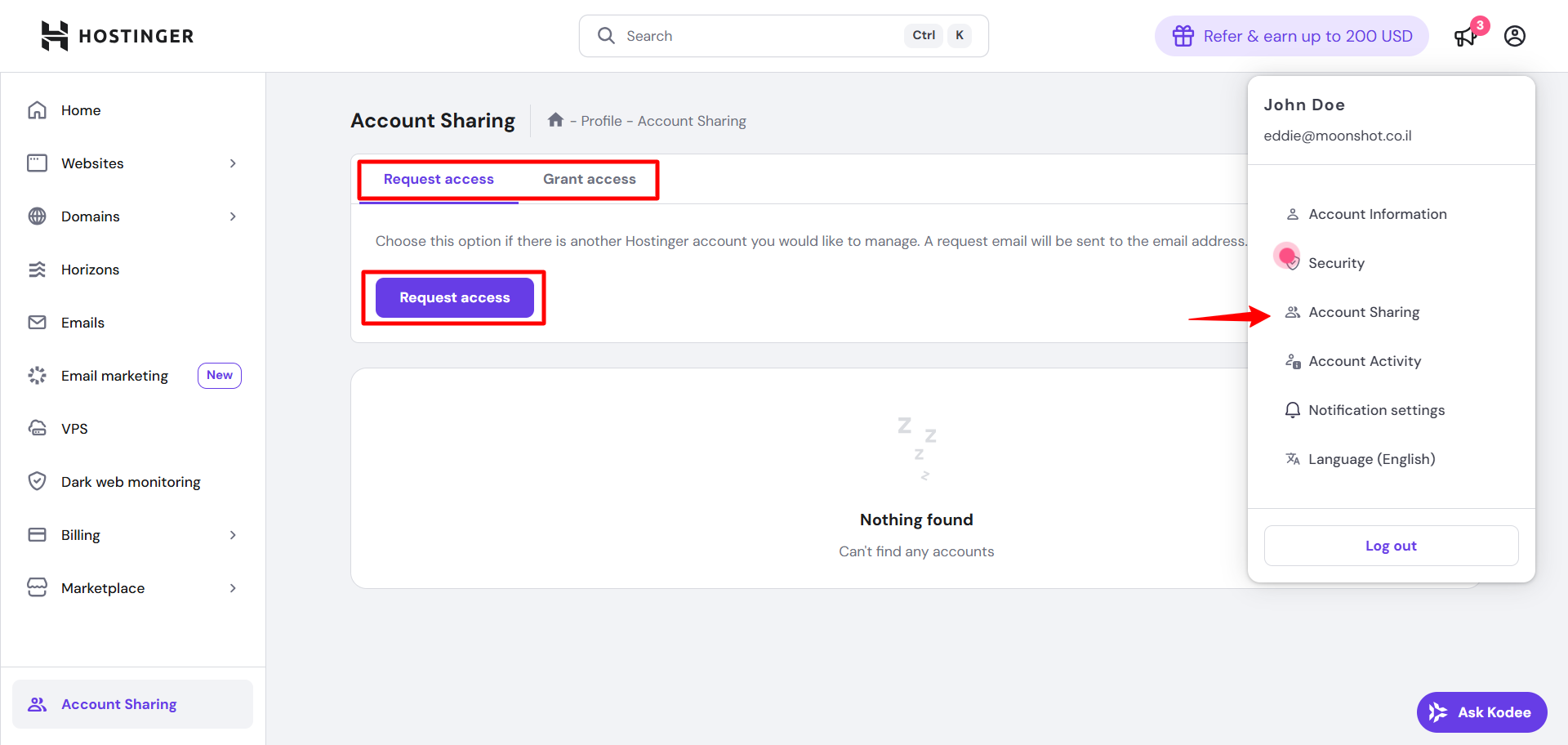
Steps:
- Log in to Hostinger
- Go to Manage Access / Account Sharing
- Click Add User
- Enter email
- Assign permissions (Hosting + Domains)
- Send invite
If unavailable on your plan, temporary login sharing may be required.
Network Solutions (No Delegated Access)


Network Solutions does not support delegated access.
Options:
👉 Option 1 (Recommended):
- Share login credentials temporarily
- Update password after work is complete
👉 Option 2:
- Provide DNS + hosting logins separately
- (Less efficient, may delay progress)
Wix (Collaborator Access)
Steps:
- Log in to Wix
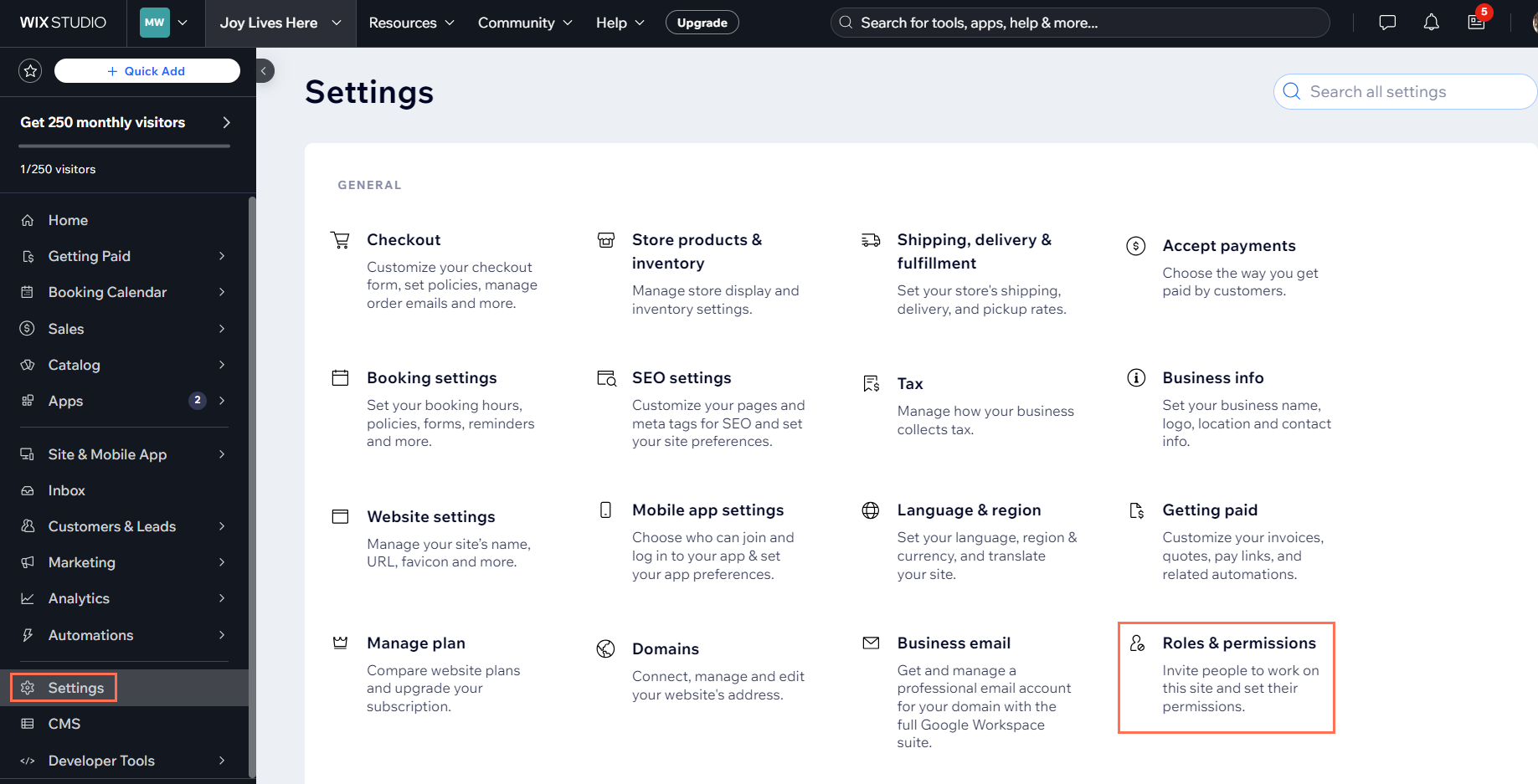
- Go to Settings → Roles & Permissions
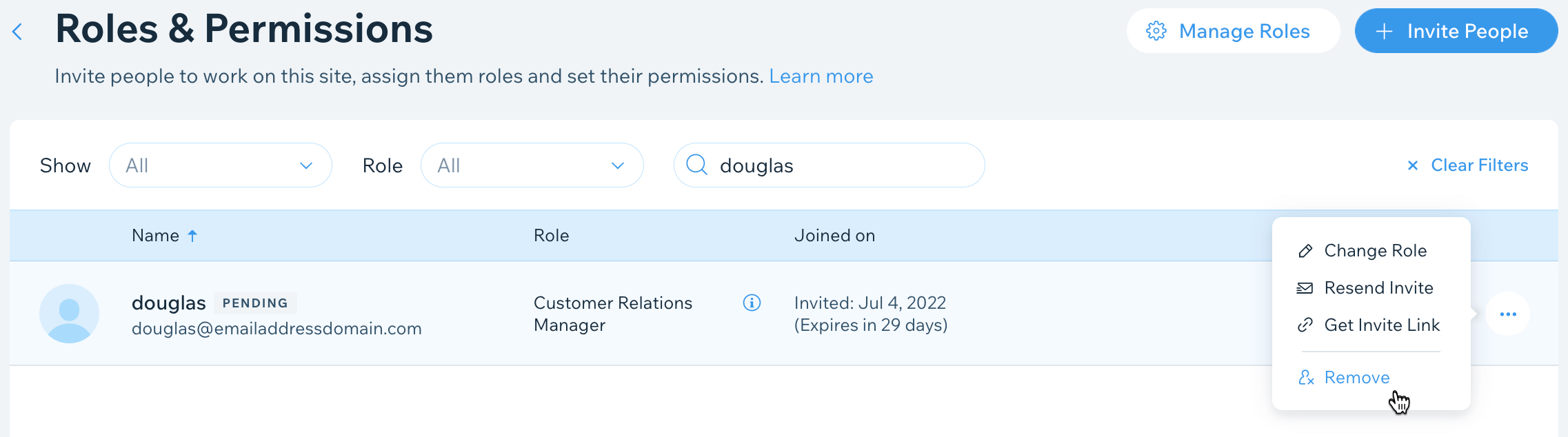
- Click Invite People
- Enter email
- Select Admin
- Send invite
You stay the owner—this just allows your designer to help
What Your Web Designer Can (and Can’t) Do
They CAN:
- Connect your website and domain
- Fix errors and setup issues
- Optimize your site for performance
They CANNOT:
- Access your billing info
- Take ownership of your account
- Make purchases without permission
Final Thoughts
Providing the correct access:
- Saves time
- Prevents delays
- Ensures your website is set up correctly
It’s one of the simplest ways to keep your project moving forward.
Need Help?
If you’re unsure what to provide, I’m happy to guide you step-by-step.
JBerra Consulting & Design
Design with intention. Build with strategy.
Leave a Reply